












Description
Product Overview
Markt Technik CAD Software is the result of more than a decade of German engineering focused on delivering a precise and reliable 2‑dimensional modeling environment. Built from the ground up for clarity, the interface presents tools in logical groups so that users can start drawing without a steep learning curve. Every command, from line creation to complex polygon editing, has been optimized for speed on modern hardware, ensuring that large projects load quickly and remain responsive. The software supports Windows 10 and later, and its lightweight installation footprint makes it suitable for both high‑end workstations and modest laptops used in classrooms. By adhering to strict quality standards, the developers guarantee that each release passes extensive functional and performance testing before reaching the market, providing a stable platform for professional designers, hobbyists, and students alike. The program also integrates seamlessly with standard Windows APIs, allowing for easy customization and scripting by advanced users.
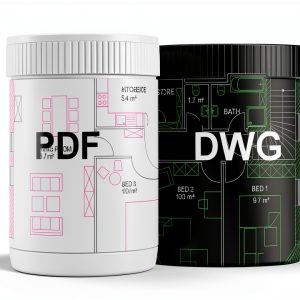
Compatibility is a cornerstone of the solution, and the software includes native support for both DXF and DWG file formats, the lingua franca of the CAD industry. Users can import legacy drawings from AutoCAD, SolidWorks, or any other platform that exports these standards, then edit them with the same precision they would expect from a native file. Export functions preserve layer information, line weights, and dimension styles, ensuring that downstream workflows in manufacturing or documentation remain intact. In addition to file handling, the toolbox offers specialized functions such as corner rounding, tolerance annotation, and batch dimension scaling, which reduce repetitive manual work. The user interface follows a ribbon layout that groups related tools, making it intuitive for newcomers while still offering power users the ability to create custom shortcuts and macros. The program also provides a real‑time preview mode that updates the drawing as parameters change, allowing designers to evaluate design intent instantly without committing to permanent edits.
One of the most compelling aspects of the offering is its licensing model, which removes the uncertainty of subscription fees and provides a perpetual right to use the software on up to three separate computers. This flexibility is especially valuable for small design studios that operate multiple workstations, as well as for students who may need the program on both a desktop at home and a laptop for campus use. The license key is tied to the hardware configuration, but the activation process is straightforward and can be completed within minutes through an online portal. Because there is no expiration date, users receive all future minor updates at no additional cost, ensuring that the tool stays compatible with evolving file standards and operating system updates. The absence of recurring charges also simplifies budgeting for educational institutions and corporate training programs. Technical support for license activation is available via email and a dedicated knowledge base, guaranteeing a smooth start for every new installation.
The product is complemented by a comprehensive virtual handbook that walks users through every major function, from basic sketching to advanced dimensioning techniques. Sample projects are included to illustrate typical workflows in mechanical part design, architectural floor planning, and electrical schematics, giving newcomers a ready‑made reference they can modify and experiment with. Example files are provided in both DXF and DWG formats, allowing users to compare the output of Markt Technik CAD with other industry tools and verify compatibility. The handbook also contains troubleshooting tips, performance optimization advice, and a glossary of common CAD terminology, which helps reduce the learning curve for beginners. All documentation is available in English and can be downloaded as PDF or accessed directly within the application through an integrated help viewer. The digital format allows users to search instantly for specific topics, and the built‑in video tutorials demonstrate key operations in a step‑by‑step visual format, further accelerating proficiency.
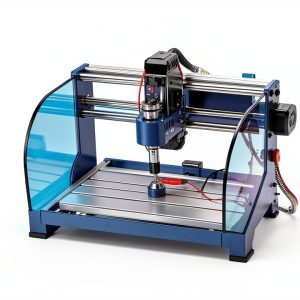
![[Product front view showing all components]](https://www.bohobloom.store/wp-content/uploads/2026/06/8c35a5f5e6064deab3c6a245eaf48adf.jpg)
Usage
Professional engineers and architects frequently rely on precise 2D drawings to communicate design intent, and Markt Technik CAD provides a trusted platform for creating those documents. The software’s ability to import existing DWG files means that legacy projects can be updated without recreating geometry from scratch, saving valuable time during renovation or retrofit phases. Designers can annotate dimensions with tolerance values directly on the drawing, ensuring that manufacturing teams receive clear specifications that meet regulatory standards. The lightweight nature of the program also allows it to run on portable workstations, enabling field engineers to make quick revisions on site and synchronize changes with the office later. Integration with common PDF exporters facilitates the creation of construction documents that can be shared with clients and contractors in a universally readable format. Because the tool supports layer management, users can separate mechanical, electrical, and plumbing schematics within a single file, making interdisciplinary coordination straightforward and reducing the risk of overlapping elements.
Educational institutions benefit from the software’s clear interface and the inclusion of sample projects that align with curriculum standards for technical drawing courses. Instructors can assign tasks that require students to import a DWG blueprint, apply corner rounding, and add dimension tolerances, thereby reinforcing both theoretical knowledge and practical skills. The perpetual license eliminates the need for yearly renewals, allowing schools to allocate funds to other resources such as hardware upgrades or lab accessories. Because the program runs efficiently on modest hardware, it can be installed on computer labs with older machines, extending the lifespan of existing equipment. Additionally, the built‑in help system and online community forums provide students with immediate assistance, fostering independent problem‑solving and encouraging collaborative learning. The software also allows export of completed drawings to PDF/A format, ensuring long‑term archival quality for academic records and meeting accreditation requirements for document preservation. Teachers can customize the default template to match institutional branding, providing a consistent look across all student submissions.
Small businesses that produce custom parts or signage often require a cost‑effective CAD solution that does not lock them into expensive subscription models. With Markt Technik CAD, a boutique manufacturer can design a component, apply precise tolerances, and generate cutting paths for CNC machines directly from the same file, streamlining the production pipeline. The ability to export to both DXF and DWG ensures compatibility with a wide range of downstream CAM software, reducing the need for additional file conversion tools. Moreover, the software’s batch processing capabilities let users apply the same dimension changes across multiple drawings, which is especially useful when updating a product line to meet new regulatory standards. The straightforward licensing also means that the business can install the program on a dedicated design workstation, a server for shared access, and a backup laptop, guaranteeing continuity even if one machine fails. By keeping the software up to date with the latest industry file specifications, the company avoids costly re‑engineering and can focus on delivering high‑quality products to its customers.
Freelance designers who collaborate with clients across different regions benefit from the software’s ability to generate clean, annotation‑rich drawings that can be reviewed in any standard CAD viewer. The inclusion of a virtual handbook and sample projects means that even users with limited prior experience can produce professional‑grade output within a short onboarding period. Because the license does not expire, freelancers can maintain a consistent toolset throughout the lifespan of long‑term contracts, avoiding the disruption of migrating to new software each year. The program’s modest system requirements also allow it to run on high‑resolution monitors, providing ample screen real estate for detailed drafting without the need for multiple monitors. Finally, the straightforward file export options enable seamless sharing of design intent with clients, contractors, and manufacturers, ensuring that everyone works from the same accurate source. The software also supports custom line styles and hatch patterns, allowing freelancers to match the visual standards of each client’s brand identity, which enhances professionalism and client satisfaction.
Why Choose Us
Markt Technik’s reputation for German precision engineering translates directly into the reliability of its CAD software, where each algorithm has been meticulously validated against industry benchmarks. The development team employs a rigorous quality assurance process that includes automated regression testing, performance profiling, and user acceptance trials before each release. This disciplined approach ensures that the program delivers consistent accuracy when handling complex geometry, such as intricate polygonal shapes or dense annotation layers. Customers can therefore trust that the dimensions they input will be faithfully represented in the final output, reducing the risk of costly rework during manufacturing. The software’s architecture also allows for easy integration of future enhancements, meaning that users benefit from ongoing improvements without the need for a complete overhaul. In addition, the codebase is written in a modular fashion, which facilitates rapid bug fixing and the addition of new features based on direct feedback from the user community, ensuring that the product evolves in line with real‑world demands.
Customer support is a cornerstone of the brand’s philosophy, and users gain access to a dedicated help desk that responds to inquiries within one business day. The support team is staffed by engineers who understand the intricacies of CAD workflows, allowing them to provide targeted advice on topics such as layer management, tolerance settings, and file interoperability. In addition to direct email assistance, the company maintains an online knowledge base that contains step‑by‑step tutorials, troubleshooting guides, and best‑practice articles. Users can also participate in a community forum where they share custom scripts, template files, and tips for optimizing performance on various hardware configurations. This ecosystem of support resources reduces downtime and empowers users to extract maximum value from the software throughout its lifespan. For enterprise customers, the company offers priority support packages that include phone consultation, on‑site training sessions, and a guaranteed response time of four hours, ensuring that critical projects stay on schedule.
The perpetual licensing model not only eliminates recurring fees but also guarantees that users will receive all future minor updates at no extra cost, preserving compatibility with evolving file standards and operating system releases. This approach reflects a commitment to long‑term value, as customers can plan their technology roadmap without worrying about hidden price escalations. Moreover, the software’s architecture is designed to be forward‑compatible, meaning that new features can be added through optional add‑on modules without disrupting existing workflows. The core program remains stable, while optional extensions provide specialized capabilities such as advanced surface analysis or integration with 3‑D visualization tools for users who later expand into three‑dimensional design. This modular strategy allows organizations to scale their CAD capabilities in line with business growth, protecting the initial investment. Customers also benefit from a transparent upgrade path, where major version releases are announced well in advance, allowing IT teams to schedule testing and deployment without disrupting daily operations.
From a cost perspective, the $29.99 price point positions the software as an affordable alternative to high‑end CAD packages that often require annual subscriptions exceeding several hundred dollars. Despite its modest price, the product does not compromise on functionality, offering a full suite of drawing tools, file compatibility, and a robust licensing arrangement. This combination of low acquisition cost, perpetual usage rights, and professional‑grade features makes it an attractive option for startups, educational institutions, and independent designers seeking to maximize return on investment. The inclusion of a virtual handbook and sample projects further reduces the need for external training resources, delivering immediate productivity gains. Overall, the solution provides a balanced blend of performance, flexibility, and affordability that aligns with the practical needs of a diverse user base. Furthermore, the software’s low system requirements allow organizations to deploy it on existing hardware, avoiding additional capital expenditures for new workstations and further enhancing the overall cost efficiency.
Key Features
- Import and export DXF/DWG files effortlessly, ensuring seamless collaboration with other CAD platforms and preserving design intent.
- Built‑in toolbox includes corner rounding, tolerance annotation, and batch dimension scaling to accelerate common drafting tasks.
- Perpetual license for up to three computers eliminates subscription fees and provides long‑term cost stability.
- Virtual handbook and sample projects deliver instant training, reducing onboarding time for professionals, students, and hobbyists.
- Dedicated email support and online knowledge base ensure quick resolution of issues and continuous workflow productivity.
FAQ
Can I import AutoCAD DWG files without losing layers?
Yes. The software reads DWG files natively, preserving all layer information, line weights, and dimension styles so that the imported drawing remains identical to the original.
How does the perpetual license work on multiple computers?
The license key is tied to a specific hardware configuration but can be activated on up to three separate machines. You simply register each computer through the online portal, and the activation process completes in minutes.
Is there a trial version available before purchase?
A fully functional 30‑day trial can be downloaded from the official website. It includes all features and allows you to evaluate performance on your own projects before deciding to buy.
What system requirements are needed to run the software smoothly?
The program runs on Windows 10 or later, requires a minimum of 2 GB RAM, 500 MB of free disk space, and a graphics card supporting OpenGL 2.0. For optimal performance with large files, 4 GB RAM or more is recommended.
How can I get help if I encounter a problem?
Support is available via email, and the online knowledge base provides step‑by‑step guides, video tutorials, and a community forum where you can ask questions and share solutions.
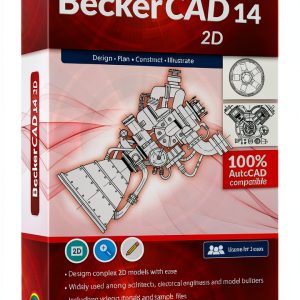
 Becker CAD Suite by Markt+Technik 2D and 3D Modeling License for 3 PCs
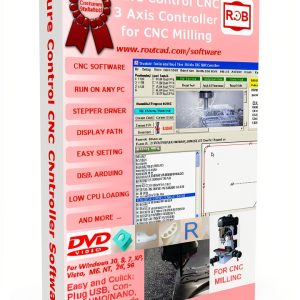
  ROUTCAD-ROUTBOT CAD-CAM Software for CNC with G‑Code & DXF Support
  RoutCad CAD-CAM for GRBL Software Design Fast Auto Pocket Creation
Reviews
There are no reviews yet.